Official version catalogue
Browse releases, snapshots, and older versions from Mojang's manifest. Search and filter before you install.
Minecraft launcher · Windows
Leaflet Launcher is a focused native Windows launcher for vanilla Minecraft. Download a version, let it prepare Java, and step back into the world you built.
Independent, non-commercial project. No Minecraft game files are hosted on this site.
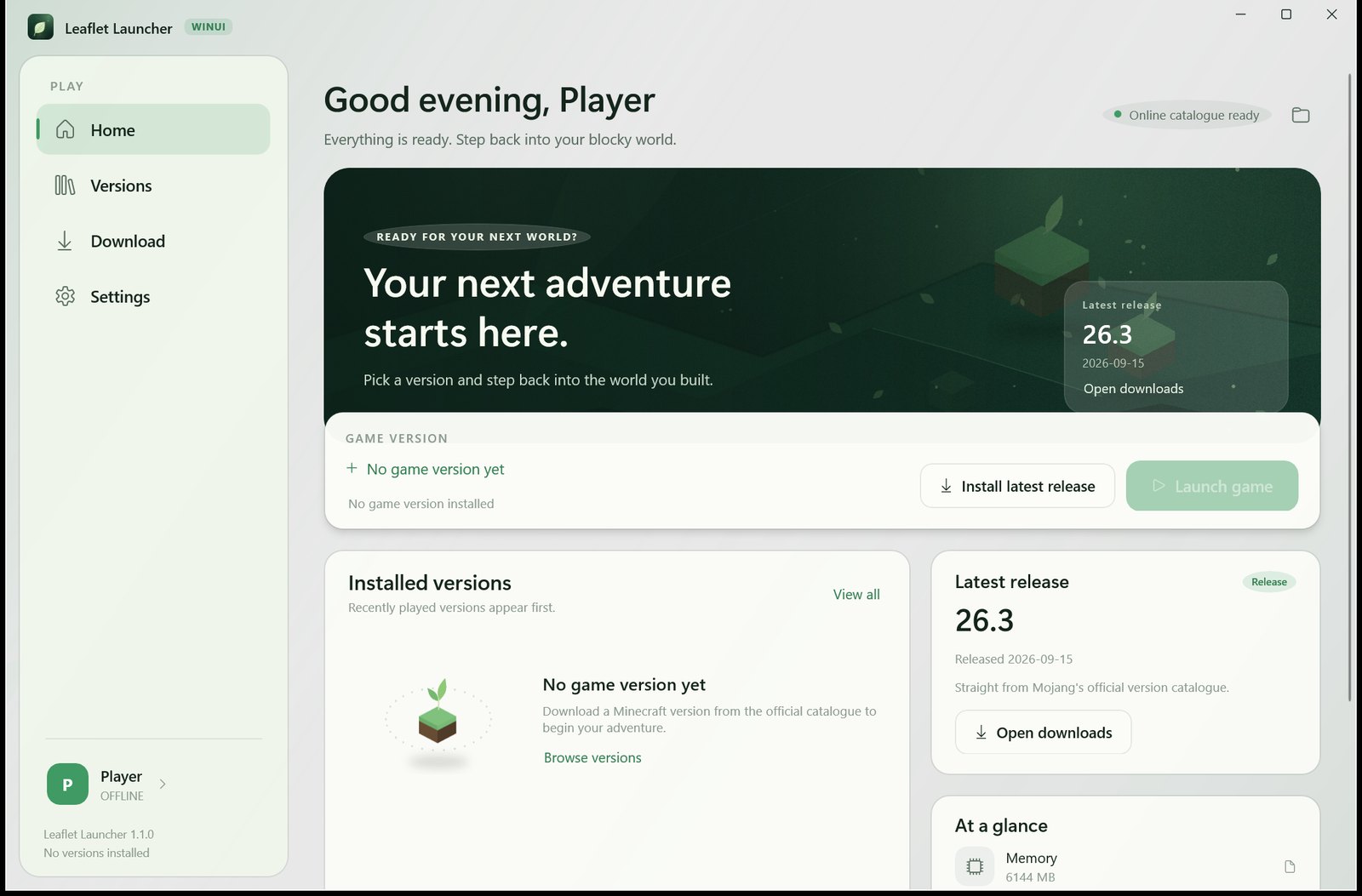
The idea
Leaflet began with a simple preference: a Minecraft launcher should feel like part of Windows, not a website in a window. It is built with C# and WinUI 3, with a calm interface and careful defaults.
It reads the official Minecraft version catalogue, installs the client and its assets, prepares a matching Java runtime, and keeps the settings you actually need close at hand. There is no bundled game data, no account server, and no noise.
The result is intentionally small in scope: vanilla Minecraft, done properly, with room for the versions and accounts you already use.
What it does
Everything needed to install and launch vanilla Minecraft, without turning the launcher into a second game.
Browse releases, snapshots, and older versions from Mojang's manifest. Search and filter before you install.
Client, libraries, natives, assets, and logging configuration. Hash checks, resumable downloads, and parallel transfers.
Detects installed runtimes and selects the right version. If one is missing, it can fetch a matching Temurin JRE.
Use a local offline profile or sign in with a Microsoft account through the browser. Switch accounts from the sidebar.
Memory, resolution, game folder, Java, JVM and game arguments, proxy, download threads, and version isolation.
English, Simplified Chinese, and Traditional Chinese. Switch the interface without restarting the launcher.
Microsoft account
Sign in through the browser with Microsoft's OAuth 2.0 device authorization flow. Leaflet never asks for, receives, or stores your Microsoft password.
Microsoft account sign-in uses Minecraft Services and is available subject to Microsoft's Minecraft API access review. Leaflet Launcher is an independent project and is not affiliated with Mojang Studios or Microsoft.
Read the full privacy notes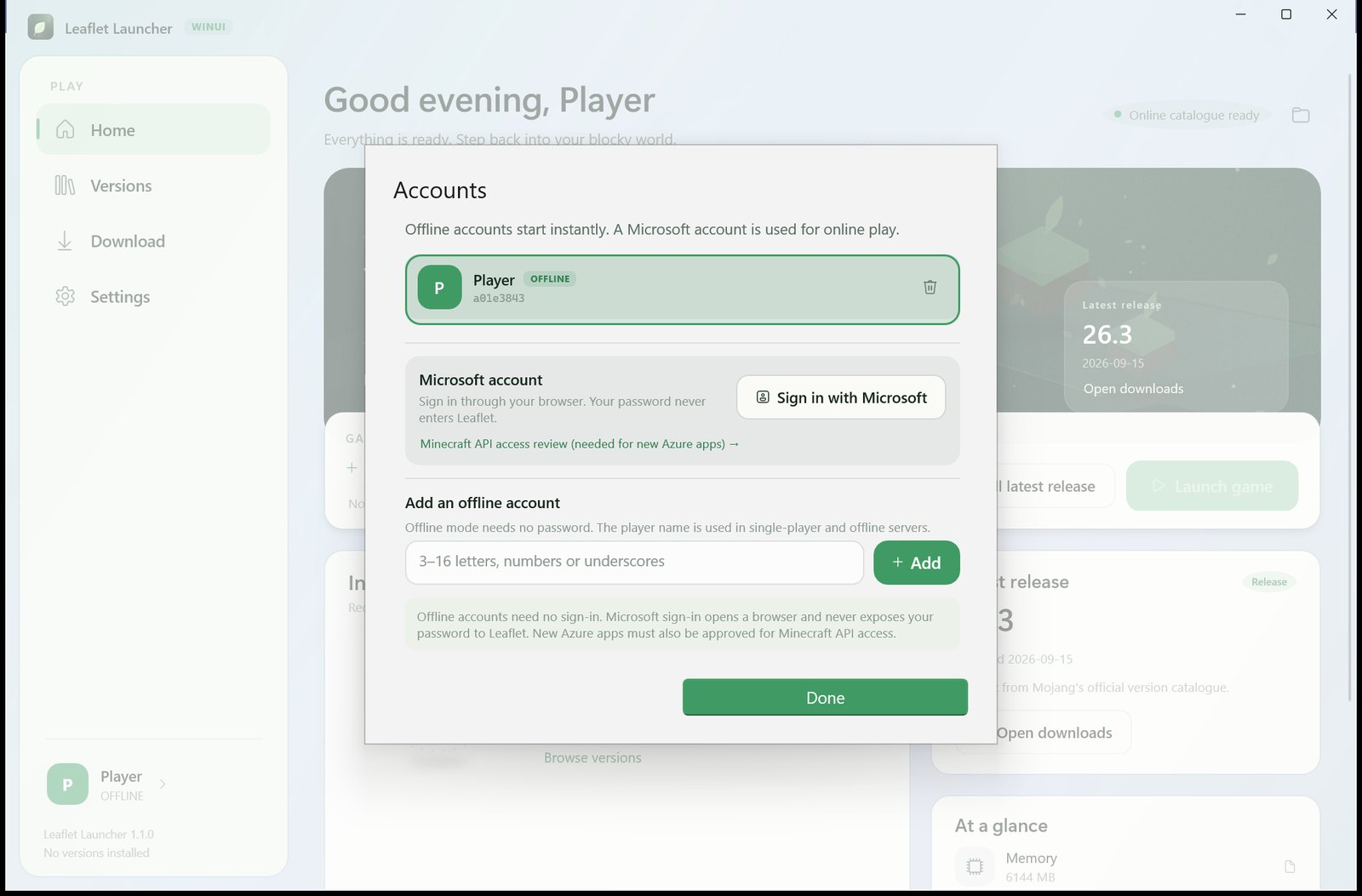
Privacy
Leaflet is designed around a simple boundary: your accounts and game data belong on your PC. The launcher does not operate an account service or collect telemetry.
Settings, profiles, logs, and game files stay in local folders. There is no cloud sync or account server.
Microsoft refresh tokens are stored with Windows DPAPI for the current Windows user. Tokens are never written to settings in clear text.
No analytics, tracking pixels, advertising identifiers, or background account service. Network requests are for game files, Java, and sign-in.
Under the hood
Leaflet is a desktop application, not a web wrapper. It uses the Windows App SDK and WinUI 3 for a native experience, with a self-contained .NET runtime so there is nothing else to install.
The launcher supports vanilla Minecraft. Existing versions with an inheritsFrom
relationship can be recognised, but mod loader installers are outside the current scope.
Questions
No. Leaflet Launcher is an independent project and is not affiliated with Mojang Studios or Microsoft. Minecraft is a trademark of Mojang Studios.
No game files are bundled or hosted by this site. The launcher downloads the version you choose from Mojang's official resources or a mirror at install time.
This site is the public product and privacy information page. The application source is maintained privately and is not distributed here.
Microsoft account sign-in uses Minecraft Services. Access to those services is reviewed by Microsoft, and availability depends on that review. Leaflet uses the OAuth 2.0 device authorization flow and never receives your Microsoft password.
Refresh tokens and the local Minecraft session are kept in a Windows DPAPI-protected file under the launcher data folder. Only the current Windows user can decrypt it. See the privacy notes for details.
Yes. Leaflet supports local offline profiles for single-player and offline servers. A Microsoft account is only needed for online play that requires one.
Not currently. Leaflet focuses on vanilla Minecraft. Existing versions with an inheritsFrom relationship can be recognised and launched using their version metadata.